max / YouTube downloader
安装步骤: 先安装脚本管理器,再点“安装”,最后打开脚本适用的网站。
脚本来源与更新状态
以下数据来自原始来源,与本站收到的安装请求分开统计。
原始脚本: YouTube downloader
来源版本: 3.4.0
最近来源检查:
最近成功检查:
- 来源站日安装量
- 0
- 来源站总安装量
- 0
- 本站安装请求
- 0
本站收到的请求不代表用户已完成安装。
点击安装只表示本站收到安装请求,不代表安装已完成。 安装后无法使用?查看问题反馈与排查
⚙️ Installation
Install any userscript manager extension in your browser, such as Tampermonkey, Greasemonkey or Violentmonkey, then click the install button for a clean installation of the script.
❓ Info
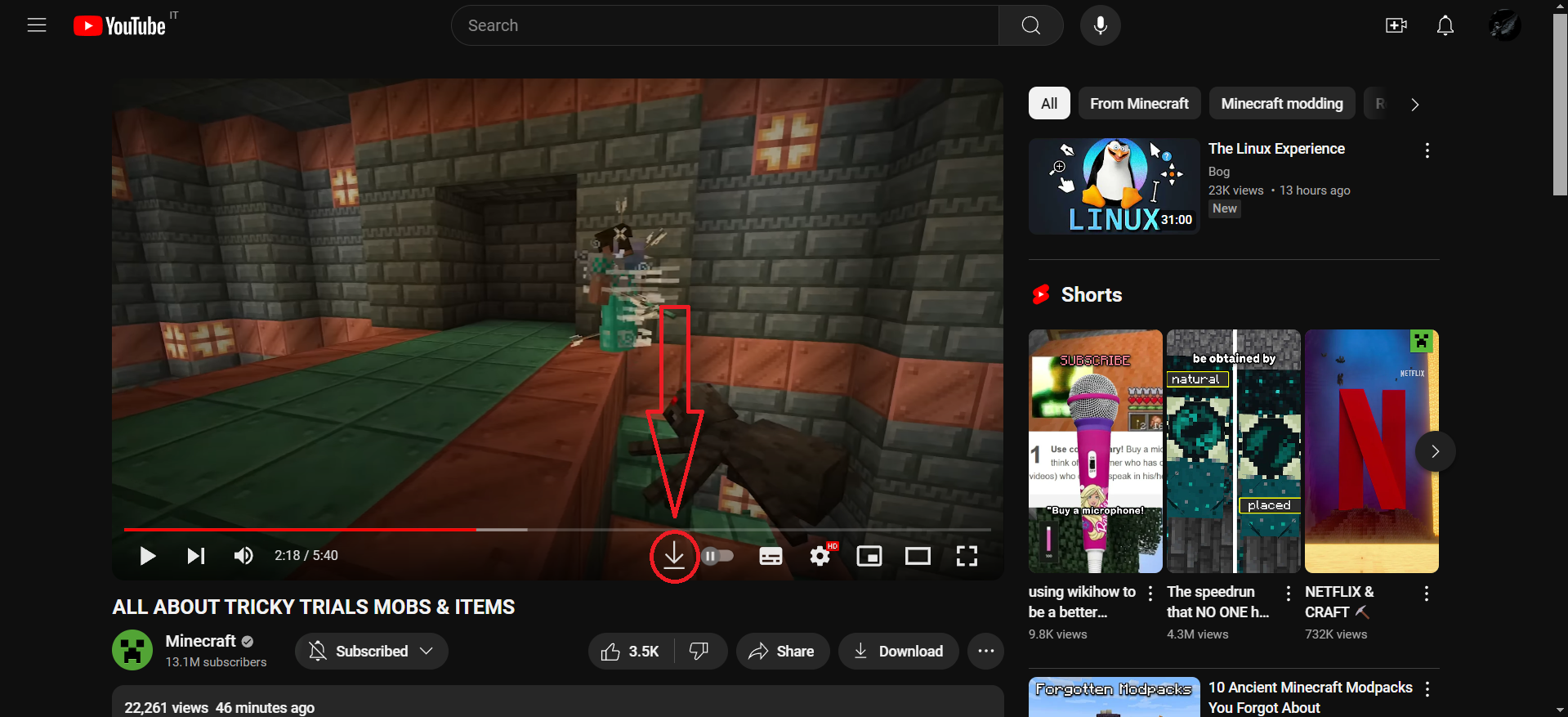
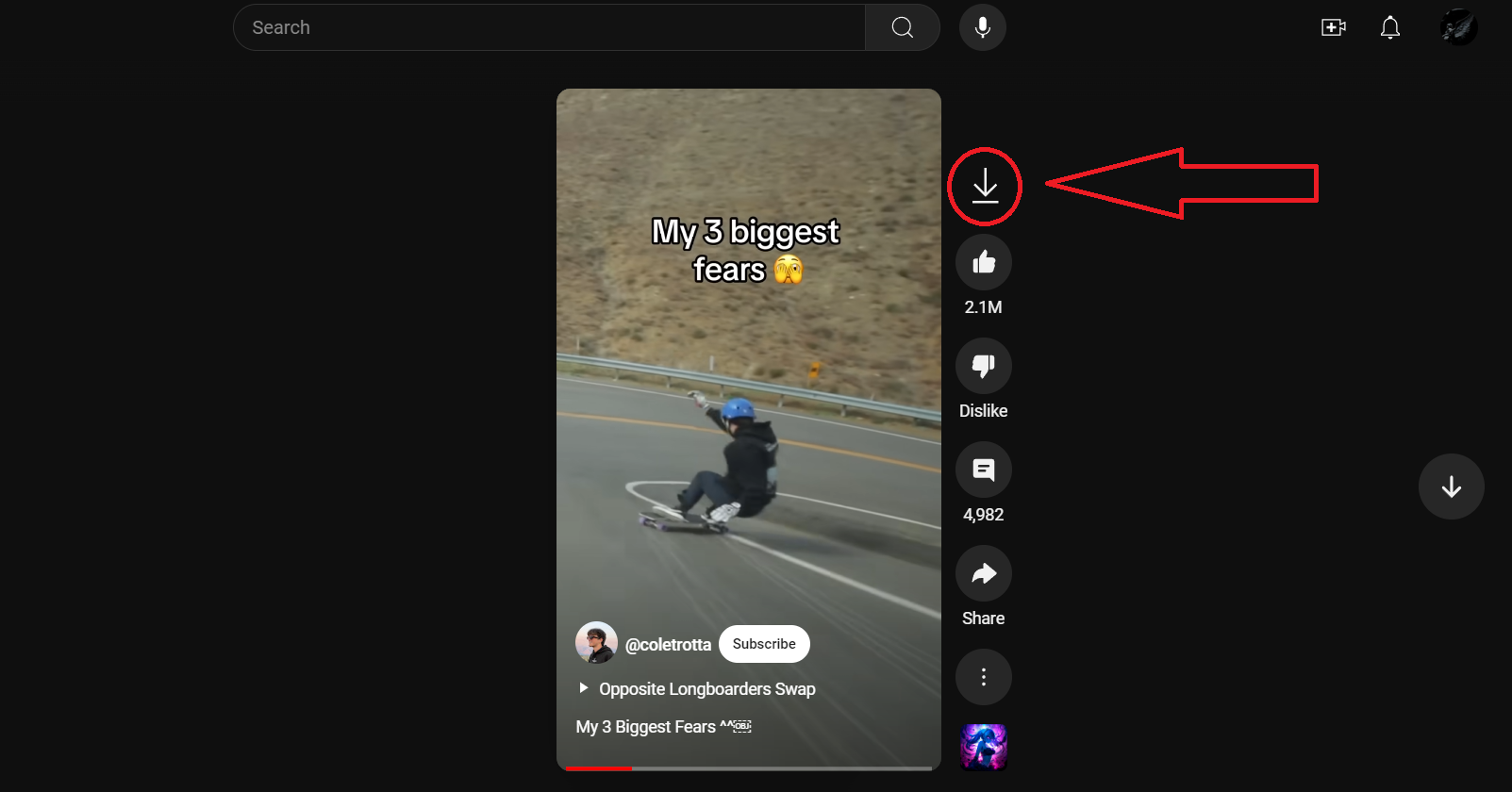
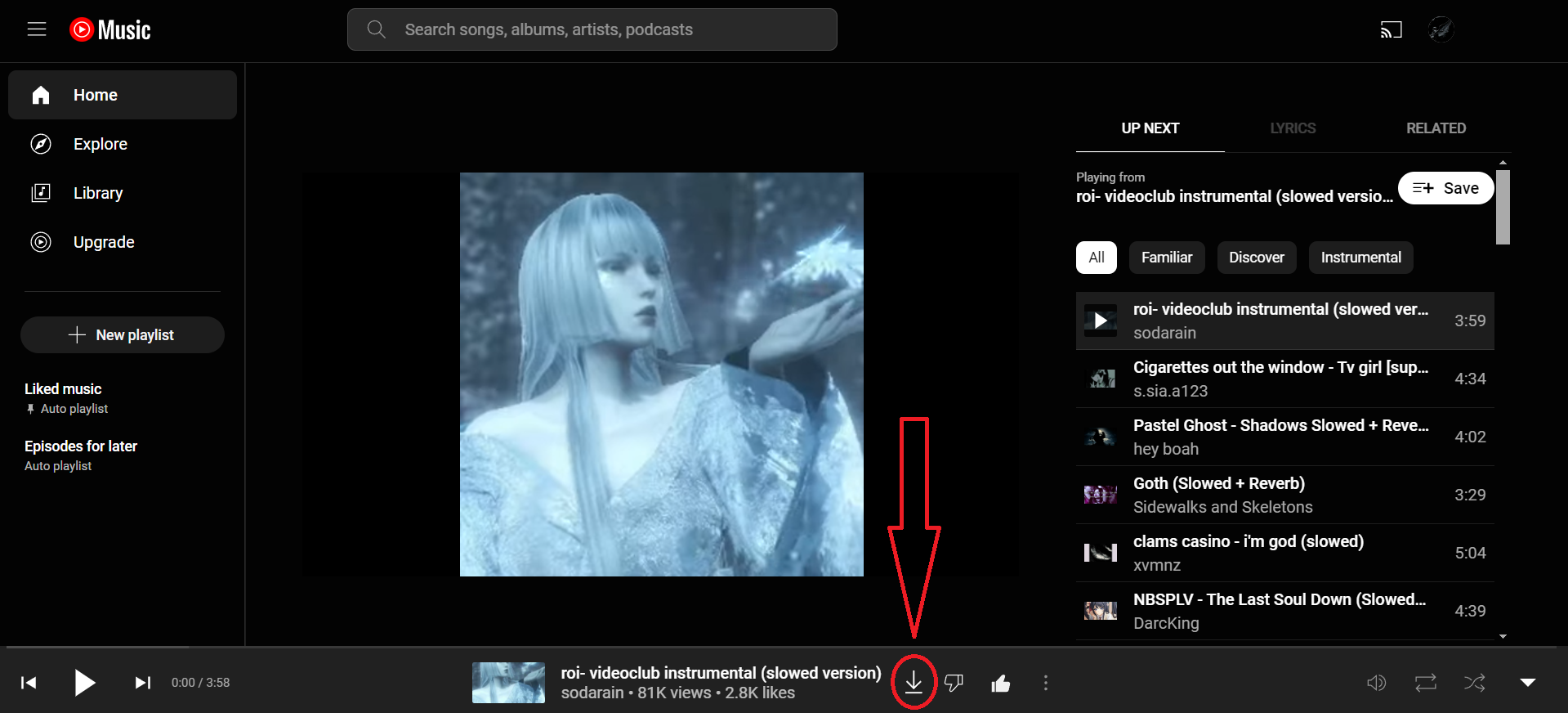
Support for YouTube, YouTube shorts and YouTube music!
Click the download button to download as video (.mp4 format), or right click to download as audio (.mp3 format).
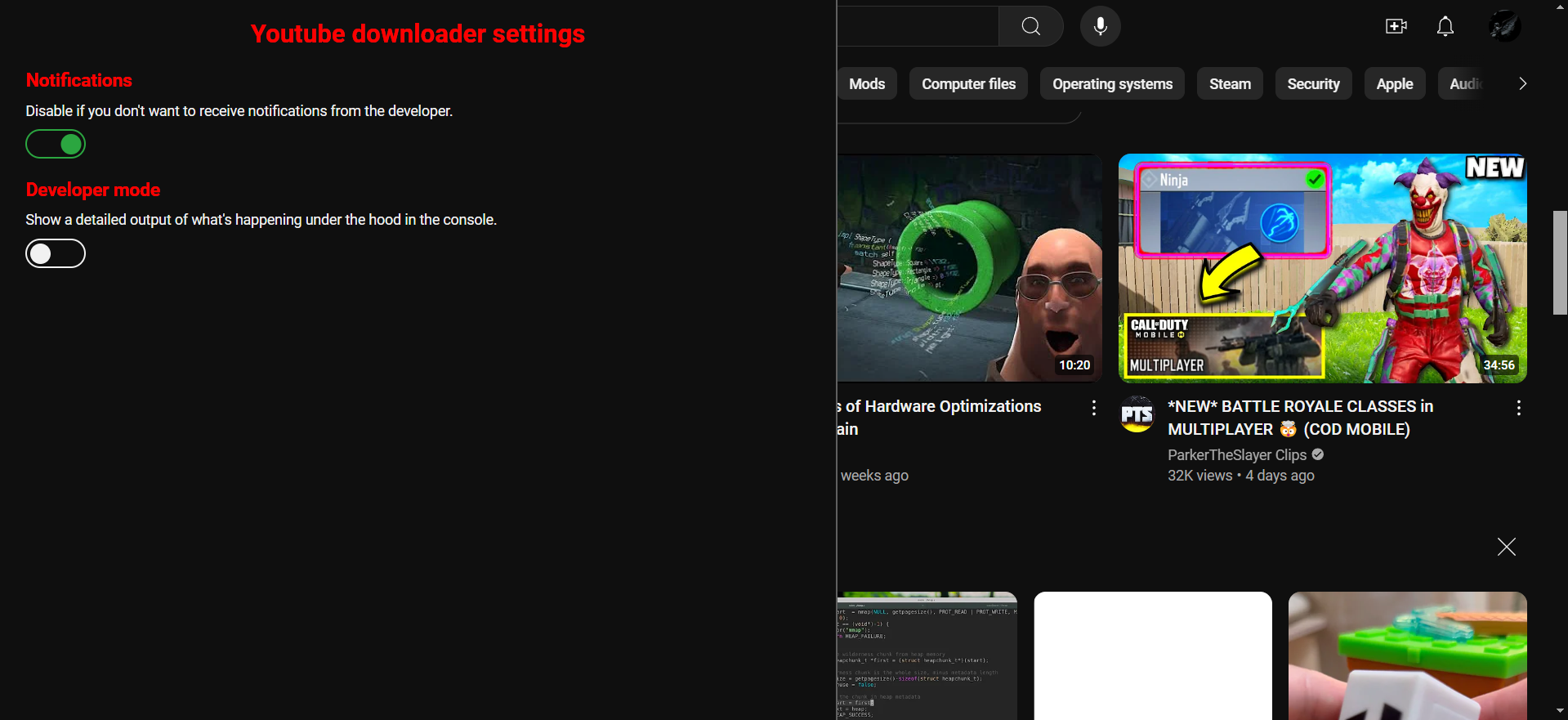
Press P on the keyboard to open the script's settings menu.
 This userscript uses the Cobalt API to download the videos, so definitely go check them out.
As stated by the Cobalt's creator(s), this is NOT a piracy tool and cannot be used as such. It can only download free, publicly accessible content. Such content can be easily downloaded through any browser's dev tools. Pressing one button is easier, so I made a convenient, ad-less tool for such repeated actions.
评分: 0