max / Duolingo PRO
Install steps: Install a userscript manager, select Install, then open a website matched by the script.
Source and freshness
The following figures come from the original source and are separate from activity on this site.
Original script: Duolingo PRO
Source version: 3.1BETA.05.1
Last source check:
Last successful check:
- Source daily installs
- 19
- Source total installs
- 52966
- Source rating
- 70.9
- OpenUserJS install requests
- 26
Requests received by this site are not proof that a user completed installation.
Clicking Install records a request on this site; it does not confirm installation. Not working after install? View troubleshooting and issues

About Duolingo PRO
Duolingo PRO 3.1 is a powerful user-script designed to supercharge your Duolingo experience. Instantly gain XP, farm XP automatically, complete quests, climb the leaderboard, extend your streak, collect gems, and much more, all with minimal effort.
- Latest Version: 3.1 (Working as of April 2026)
- Supported Platform: Duolingo (Web)
- Script Manager: Tampermonkey (recommended)
- Community: Join our Discord server for news, support, and discussions
- Tutorials: Subscribe to our YouTube channel for guides and latest features
Features
- 🎯 Instantly earn as much XP as you want
- 💎 Get as much free gems as you want
- 🤖 Automatically solve questions
- 🔄 Auto-complete lessons and practices (choose set or infinite runs)
- 🔥 Boost your streak by any amount
- 🚀 Free XP boosts and streak freezes
- ❤️ Instantly refill hearts
- 🌙 Dark mode support
- 📝 Talk with support directly on the script
- 🛠️ More features coming soon (e.g., AutoServer)
Getting Started
- Install Tampermonkey (recommended userscript manager for Chrome/Chromium browsers).
- Download the latest Duolingo PRO script from this repository.
- Enable Developer Mode in Chrome (or Chromium browser): Settings > Extensions > Developer Mode ON.
- Join our Discord server for updates, support, and community discussions.
- Watch our YouTube tutorials for detailed setup and usage guides.
Troubleshooting
- Ensure you are using the latest version of Duolingo PRO.
- Use Tampermonkey; other userscript managers may not be compatible.
- For Chromium users, confirm Developer Mode is enabled.
- Prefer Chrome or another Chromium-based browser for best results.
- Visit our Discord server for help and bug reports.
- Find video guides on our YouTube channel.
Screenshots


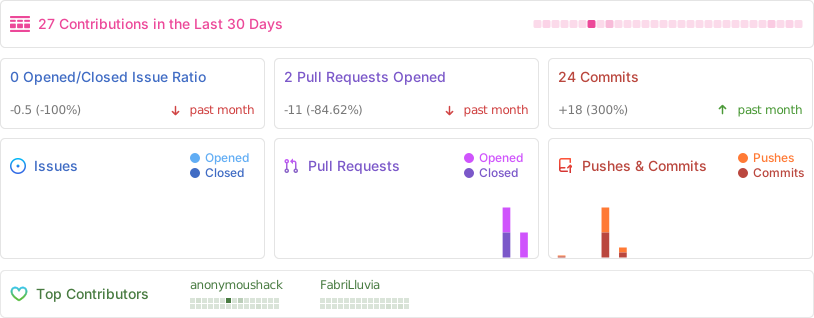
Repository Activity
Community & Support
Discord: Join our Discord server for news, support, and discussions.
YouTube: Subscribe on YouTube for setup guides, updates, and feature demos.
Note: Duolingo PRO is an independent project and is not affiliated with or endorsed by Duolingo Inc.
Hodnotenie: 70.9