max / YouTube downloader
Install steps: Install a userscript manager, select Install, then open a website matched by the script.
كيفية استخدام برنامج Userscript للمبتدئين Chrome Edge Firefox
Source and freshness
The following figures come from the original source and are separate from activity on this site.
Original script: YouTube downloader
Source version: 3.4.0
Last source check:
Last successful check:
- Source daily installs
- 0
- Source total installs
- 0
- OpenUserJS install requests
- 0
Requests received by this site are not proof that a user completed installation.
Clicking Install records a request on this site; it does not confirm installation. Not working after install? View troubleshooting and issues
⚙️ Installation
Install any userscript manager extension in your browser, such as Tampermonkey, Greasemonkey or Violentmonkey, then click the install button for a clean installation of the script.
❓ Info
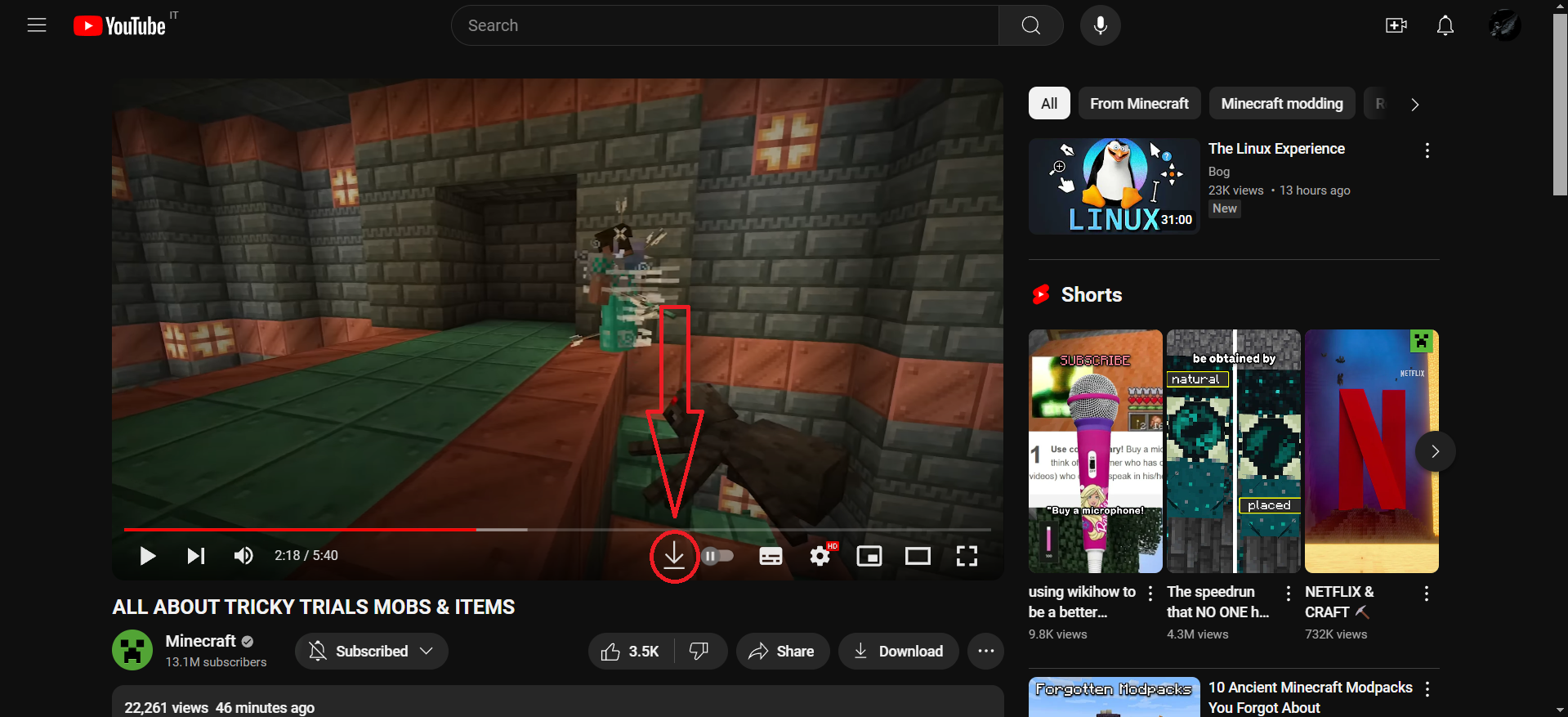
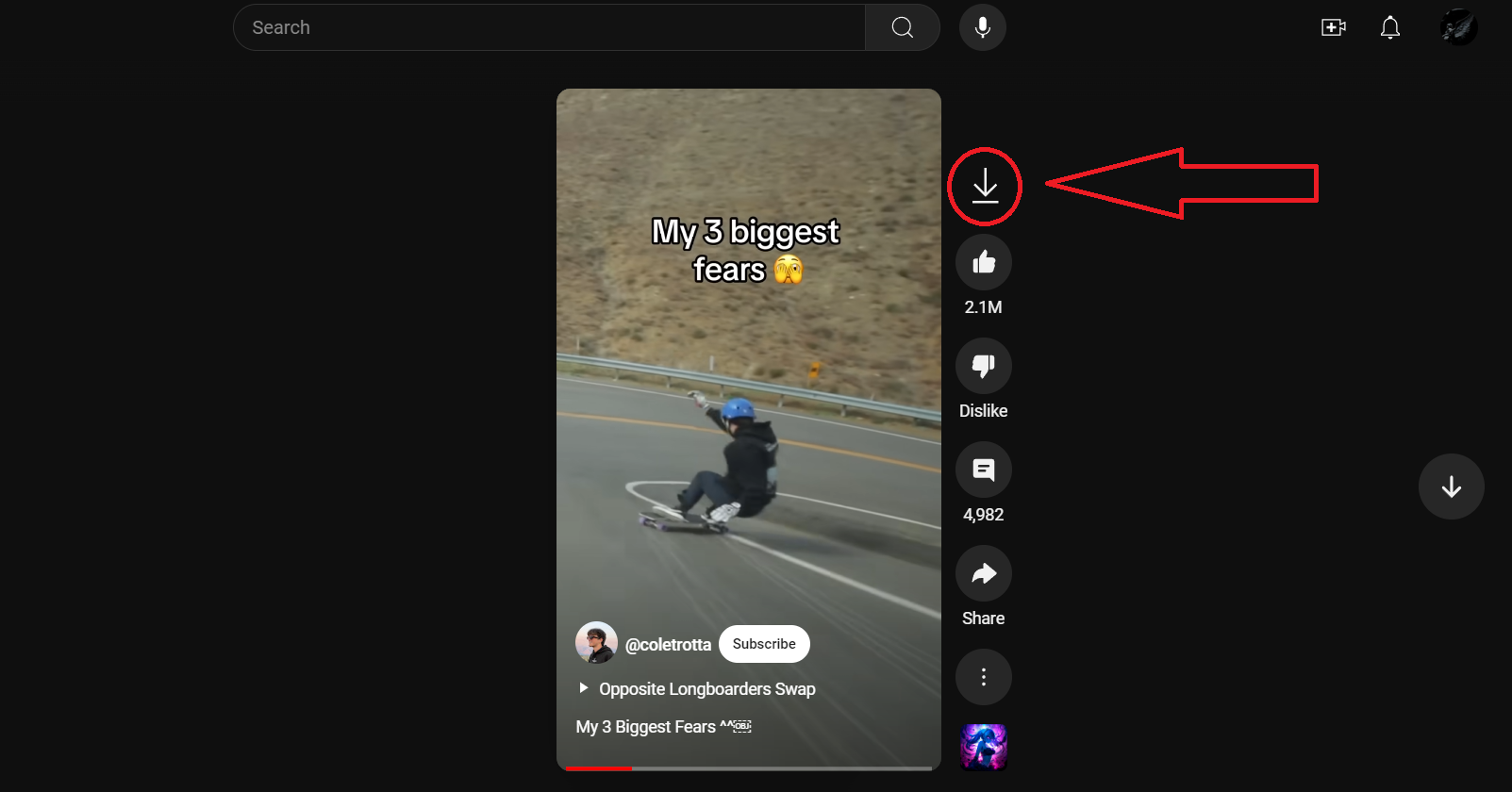
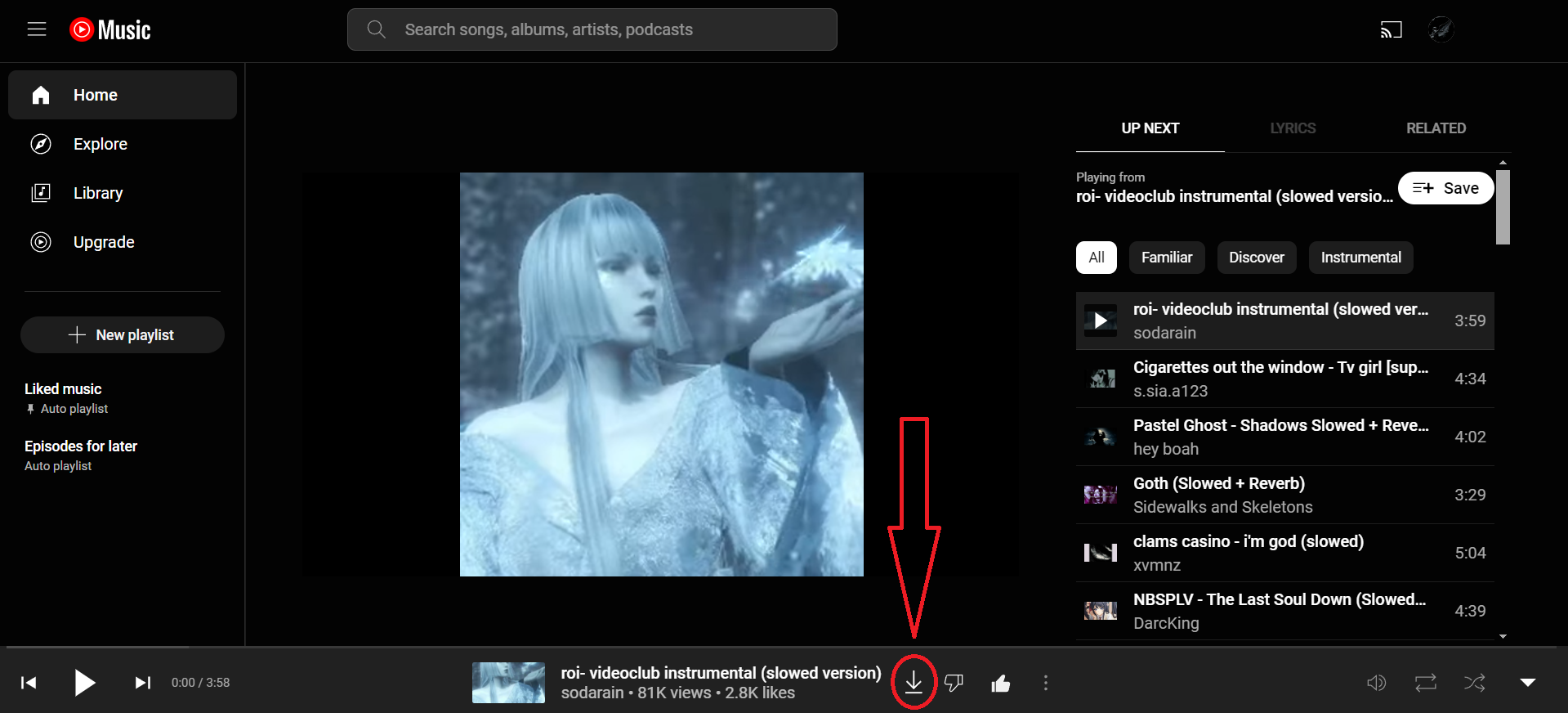
Support for YouTube, YouTube shorts and YouTube music!
Click the download button to download as video (.mp4 format), or right click to download as audio (.mp3 format).
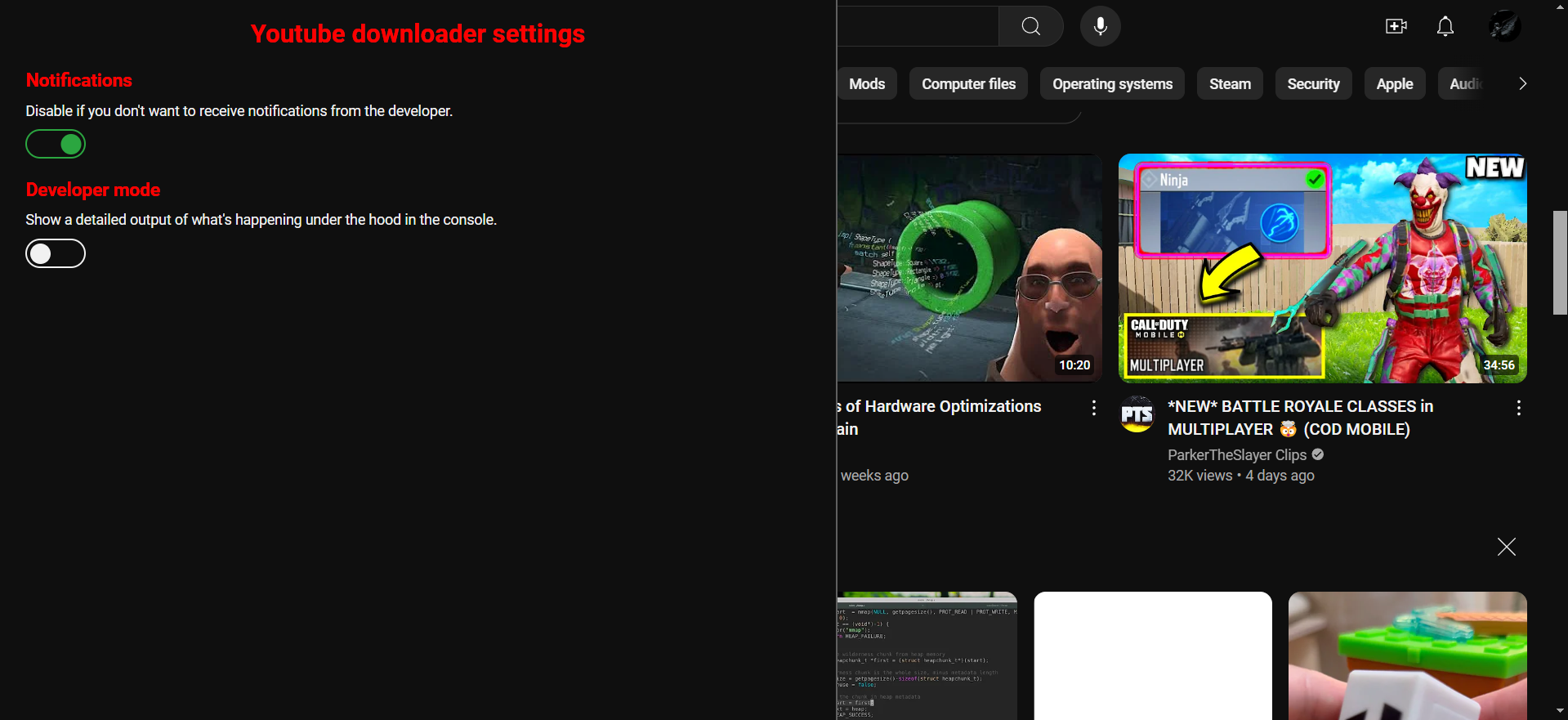
Press P on the keyboard to open the script's settings menu.
 This userscript uses the Cobalt API to download the videos, so definitely go check them out.
As stated by the Cobalt's creator(s), this is NOT a piracy tool and cannot be used as such. It can only download free, publicly accessible content. Such content can be easily downloaded through any browser's dev tools. Pressing one button is easier, so I made a convenient, ad-less tool for such repeated actions.
التقييم: 0